Calypso ULP LoRa Ultrasonic Wind MeterCalypso ULP LoRa Ultrasonic Wind Meter
| 1. To activate ULP LoRa, download and install the Anemotracker Configure & Update program and use it to select the frequency on which Laura will operate. You don't need to select anything—just accept the default values. After that, launch Anemotracker and test the device. After that, you can use it in conjunction with Strelok Pro. | |
| 2. On air, both the transmitter (the flat "pancake") and the wind meter are visible under the names LORA_RECVR and LORA. You can connect to both. In normal mode, you should connect to LORA_RECVR. If you need to use the wind meter without the transmitter, you can connect directly to it. | |
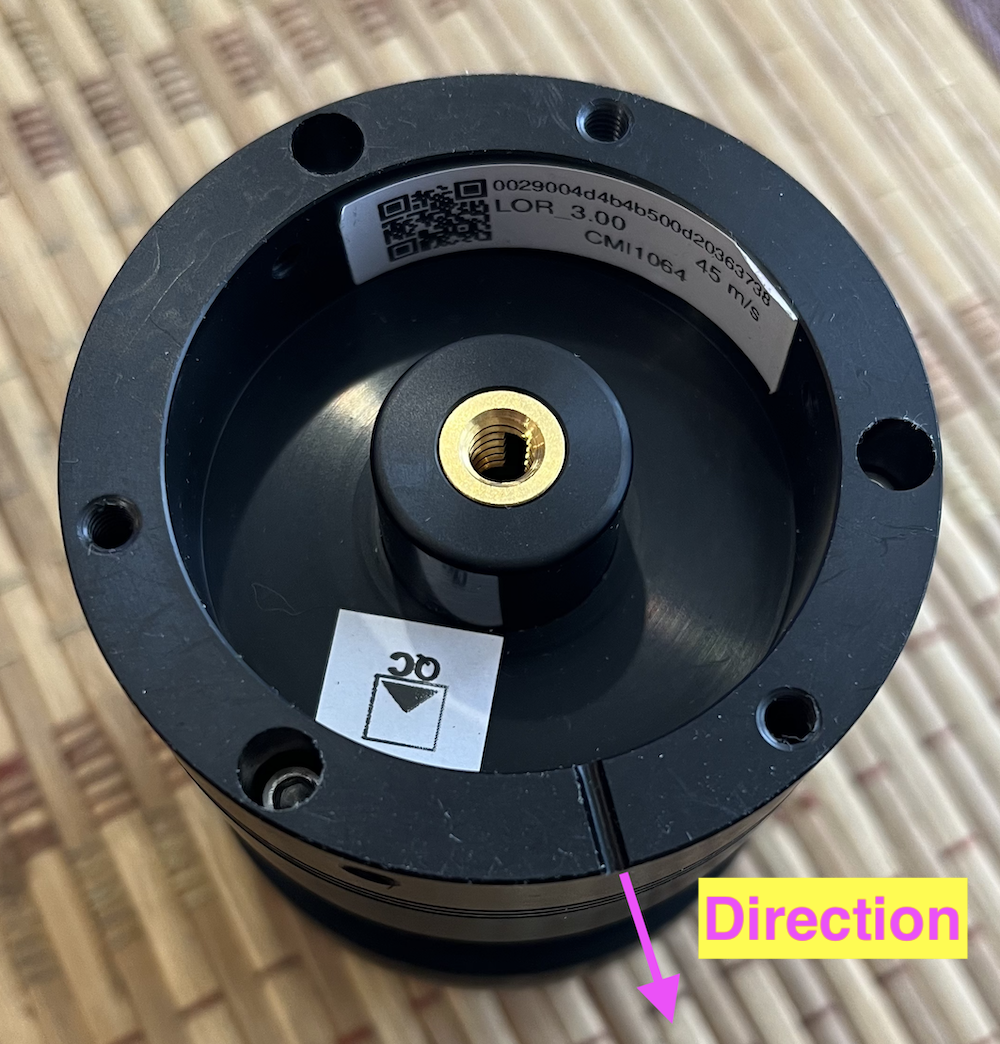
3. ULP LoRa has a groove on the bottom. It shows where the wind meter should point.
|
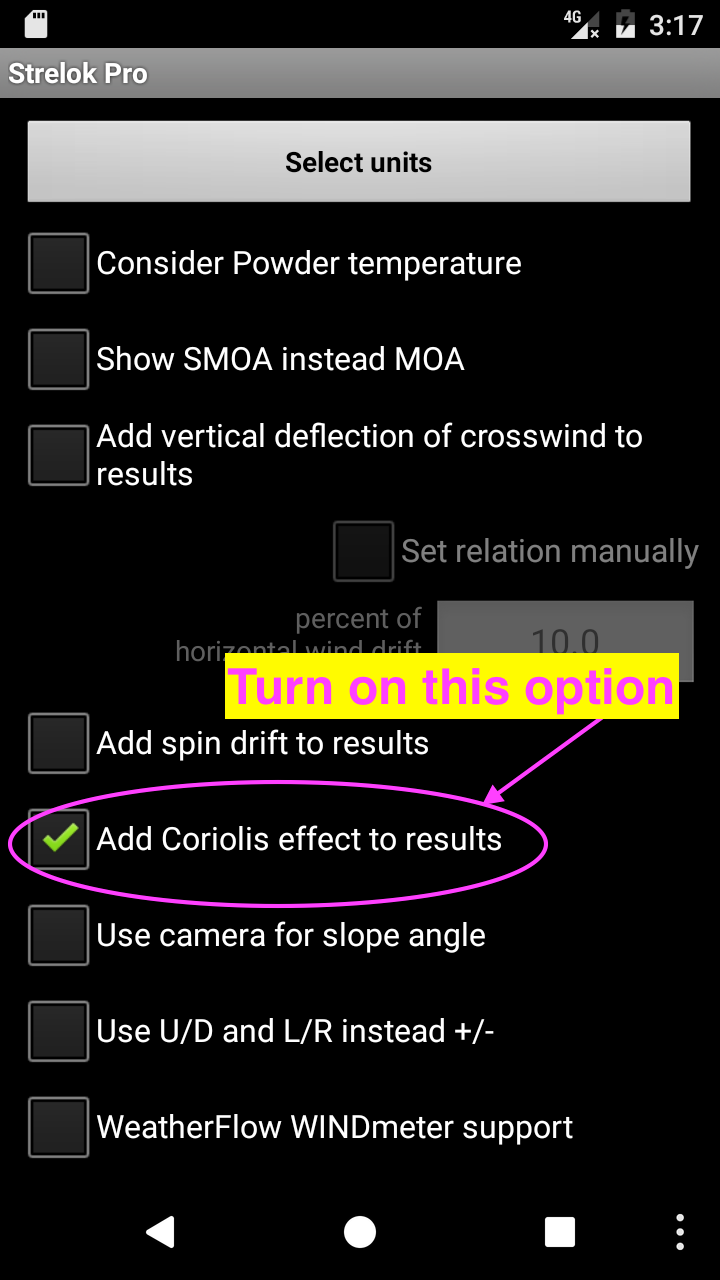
3.1. The interaction screen with ULP LoRa has two options: a) The wind meter should point directly at the target, and the target and wind meter azimuths should be 0. b) The wind meter's "groove" points anywhere, but you need to set its azimuth (manually or with your phone's compass) and set the target azimuth. Then the program will automatically calculate the angle between the target direction and the wind direction. 3.2. The List of Targets screen with azimuths points directly north.
|
See also: Strelok for iPhone, Strelok for Android and Strelok Pro (iPhone) and Strelok Pro (Android)
E-mail me: igor@borisov.mobi (russian, english)